

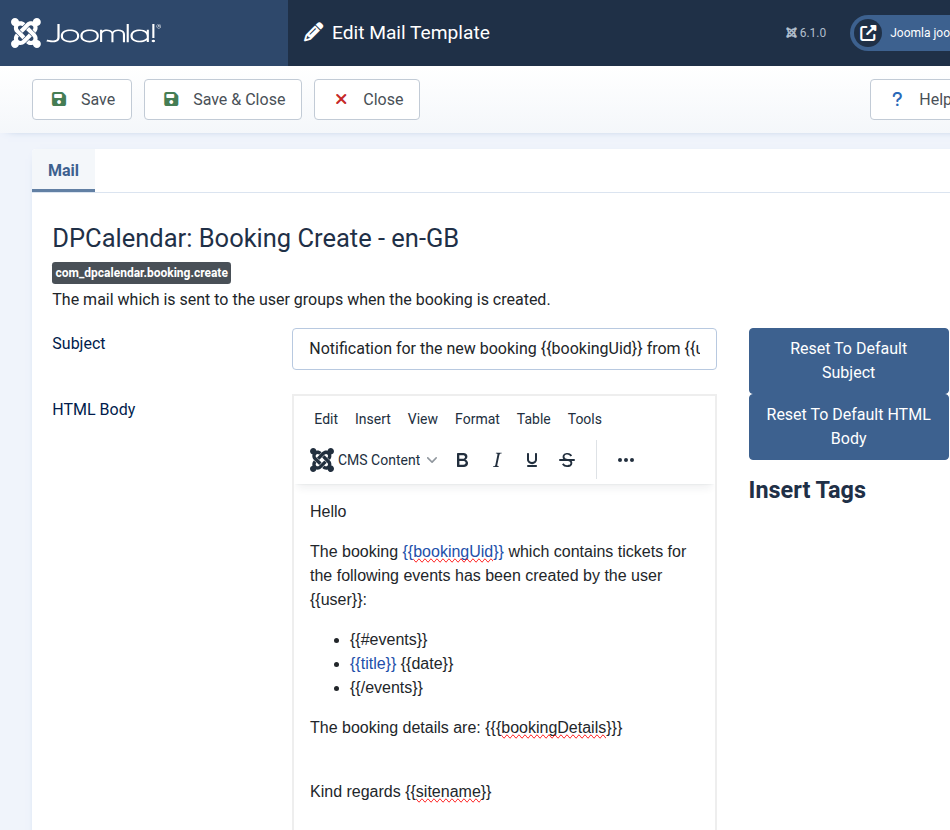
Mail template is a convenient feature in core which allows site administrators to customize mail content in the Joomla back end. DPCalendar comes now with full support for mail templates, to be inline with the rest of the web site mails for your customers.
Following our established release strategy, we are excited to announce a new feature version of DPCalendar and DPMedia, as it is the fourth Thursday of the month. Today, we are releasing the following updates:
The next chapters are highlighting some of the most important changes in this release window.
Mail templates
Mail templates provide a much more flexible and powerful way to customize email content to suit the specific needs of each site. In the past, administrators had to rely on language overrides for every individual subject line and email body string, which was not only time-consuming but also difficult to maintain, especially for multilingual setups.
With the latest changes, DPCalendar has transitioned to core mail templates for every outgoing email. This new approach centralizes email customization. Instead of juggling multiple language overrides, administrators can now work directly in the back end to adjust the mail content in the UI. In addition, when combined with layout support, mail templates open up new possibilities for creating visually appealing and well-structured emails. Whether it’s booking confirmations, updates, or notifications, you can now design professional-looking messages that better reflect your brand and improve the overall user experience.
It is important that HTML templates are enabled in the mail templates configuration as DPCalendar comes only with HTML mails!! More information can be found in the notification documentation.
Unlimited notifications per action
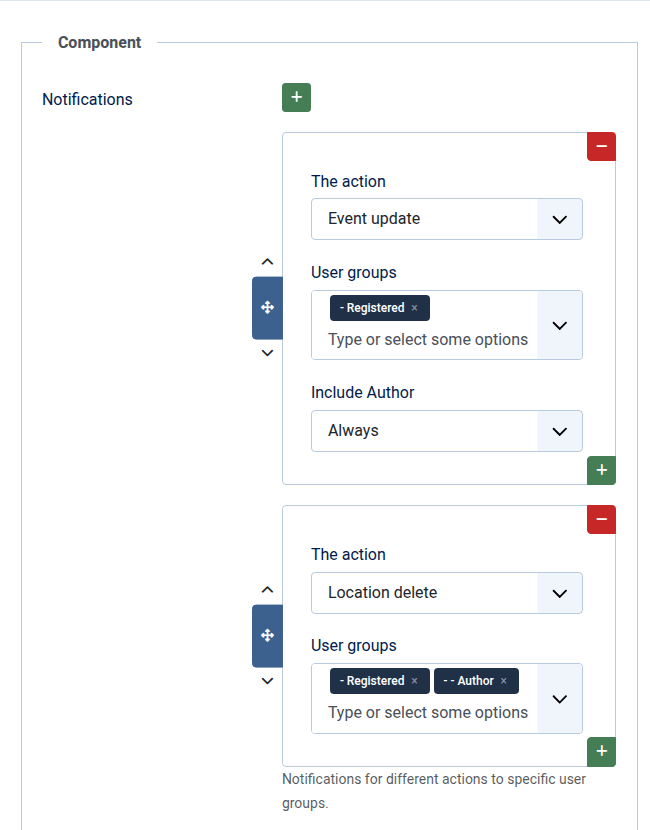
The new notification system provides a more flexible way to control how users are informed about changes. Notifications can now be tailored per action and assigned to specific user groups. Whether events, locations, or bookings are created, updated, or deleted, you can define exactly who should be notified. This event-based approach ensures that the right users receive relevant updates at the right time, improving overall communication and workflow.
The feature is fully integrated with the new core mail templates, allowing you to create well-structured and visually appealing emails. Using the flexible Mustache syntax, you can easily include details of the modified element directly in the message, making notifications clearer and more informative. More information can be found in the notification documentation.
DPMedia media types feature removed
As Joomla 6.1 comes with new media types custom fields, the media types feature in the DPMedia content plugin was removed. This requires that site admins rename the type of the plugin to the specific custom field type. So when a media custom field exists with the type documents, then in the database needs the type be changed from media to documents. DPMedia doesn't do the transition automatically as it requires knowledge what exactly for a type the custom field is, especially when multiple are set.
Bugfixes
We are eager to improve our extensions on a regular basis. That's why every major/feature release does contain also bug fixes and small enhancements as well to improve the stability and performance.
A full changelog is added in the respective download release description on our download site.
Kind regards
Allon Moritz aka laoneo
Founder of Digital Peak