The DPCalendar - Articles plugin allows to seamlessly integrate Joomla articles with DPCalendar. It supports two-way synchronization:
This makes it ideal for websites where content needs to appear both as calendar events and as regular articles, such as news posts, event announcements, blog entries, or course descriptions.
Once configured, DPCalendar can display Joomla articles as events throughout the extension, including:
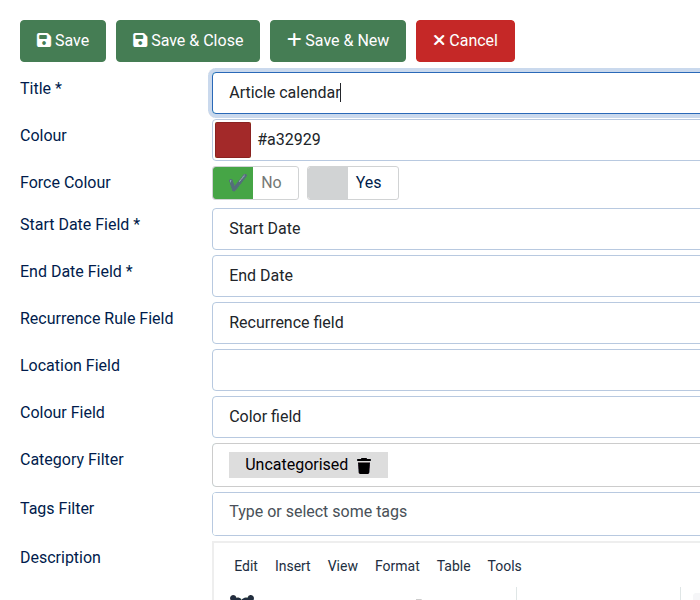
Articles can be selected based on their categories or tags, allowing the site admin to decide exactly which articles should appear as events. Since Joomla articles do not natively contain event information such as start dates or locations, the plugin uses Joomla Custom Fields to store this information. These fields are mapped in the plugin configuration, allowing DPCalendar to interpret articles as calendar events.
To display articles as events, DPCalendar requires several event-related fields, such as:
These values are stored in article Joomla Custom Fields. The plugin configuration allows to map each DPCalendar attribute to the corresponding custom field.
The plugin can also work in the opposite direction by automatically creating Joomla articles from native DPCalendar events. In the Sync tab, it is possible to define which DPCalendar calendars should synchronize with which Joomla article categories. Whenever an event is created or updated in one of the configured calendars, the plugin will automatically create or update the corresponding Joomla article.
This is particularly useful for:
In addition to the article title and content, it is possible to map DPCalendar event custom fields to Joomla Custom Fields, allowing event metadata to be transferred automatically.
The intro and full text options do allow to define custom article texts with more properties from events. Like that it is possible to display the date and location within the article description or intro text. If no intro text is set in the event, then the intro text in the article is also empty, except when more fields are specified in the intro text option which render a value beside the event intro text.
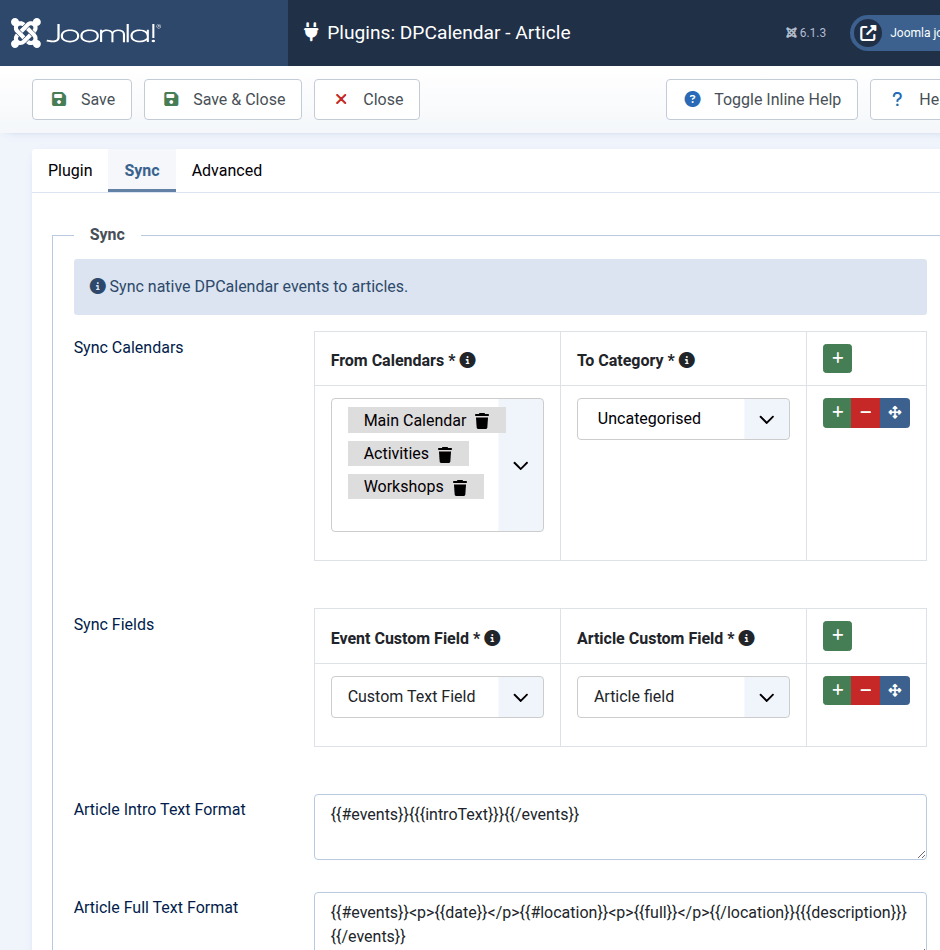
These settings are the same for every calendar configured in the plugin.

Comments (0)