
The DPAnalytics Google Analytics plugin integrates the widely known Google Analytics service into Joomla. The plugin adds a tracking code to your web site which does allow Google Analytics to analyze your visitors behavior. Additionally it is able to track none HTML page requests.
Google Analytics is a powerful web analytics tool provided by Google, designed to help businesses and website owners understand and analyze their web traffic. By leveraging Google Analytics, users can gain valuable insights into how visitors interact with their website, track key metrics, and make informed decisions to optimize their online presence. While Google Analytics is an invaluable tool for understanding website performance and user behavior, its use raises several privacy concerns that businesses and website owners must address. These concerns stem from the data collection practices and legal regulations governing user privacy in different regions.
Traffic Analysis
Track the number of visitors, their geographic location, device usage, and referral sources to understand how users find your site.
User Behavior Insights
Analyze how visitors navigate your site, including pages viewed, time spent on each page, and bounce rates.
Goals and Conversions
Set up goals to track specific user actions like form submissions, purchases, or sign-ups, and measure your website's performance in achieving these objectives.
Real-Time Data
Monitor user activity on your site in real-time to track immediate trends and events.
Custom Reports
Create tailored reports to focus on metrics that matter most to your business.
Integration with Other Google Services
Seamlessly connect with tools like Google Ads, Google Tag Manager, and Search Console to enhance your data tracking capabilities.
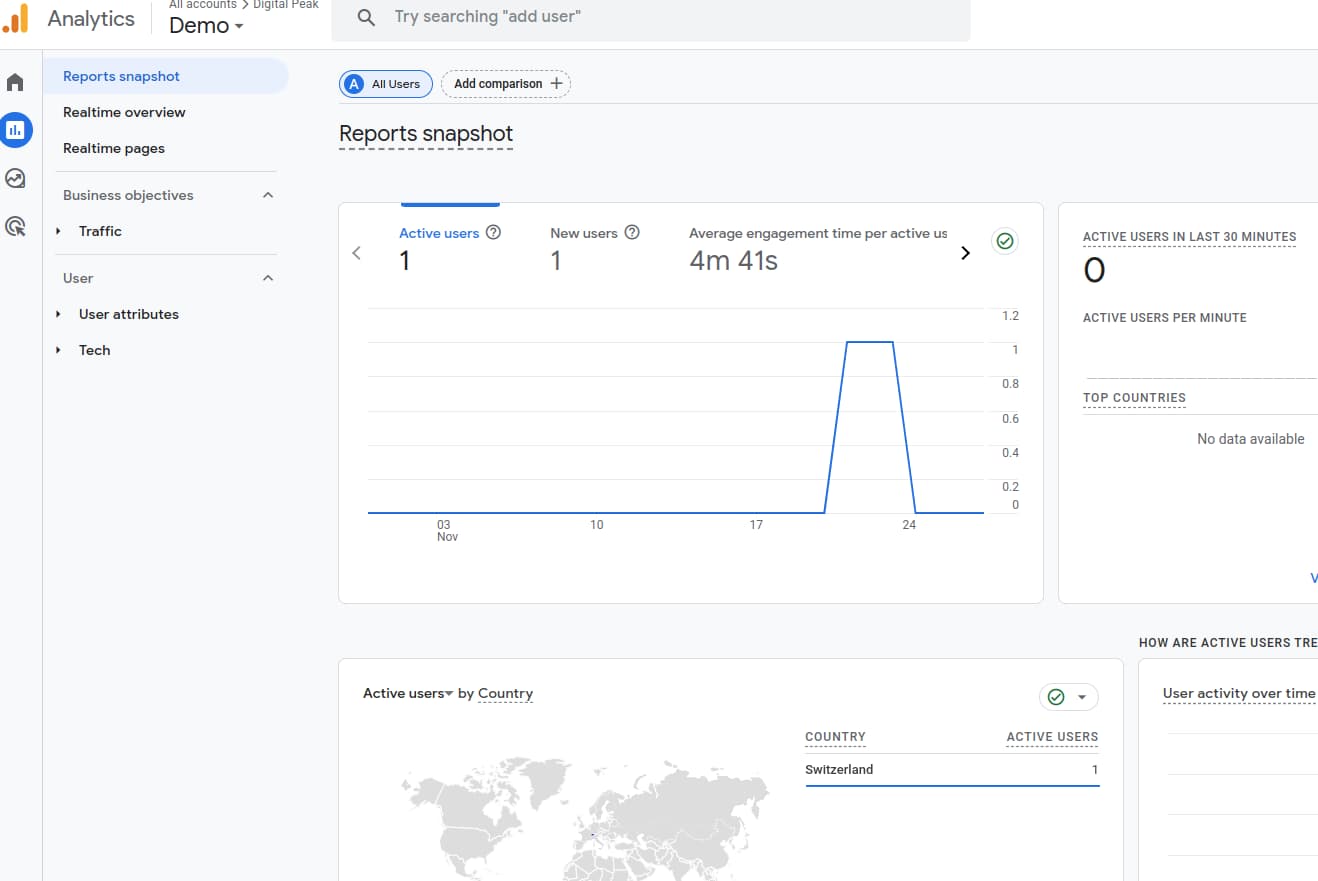
Before the plugin can display data and add the tracking code, a refresh token must be created. To do that, a client ID and client secret from the Google developer console is needed. This credentials are used to make authenticated requests against the google API endpoint when data should be displayed. It is OAuth authentication and allows you to revoke the credentials at any time without exposing your private username and password.
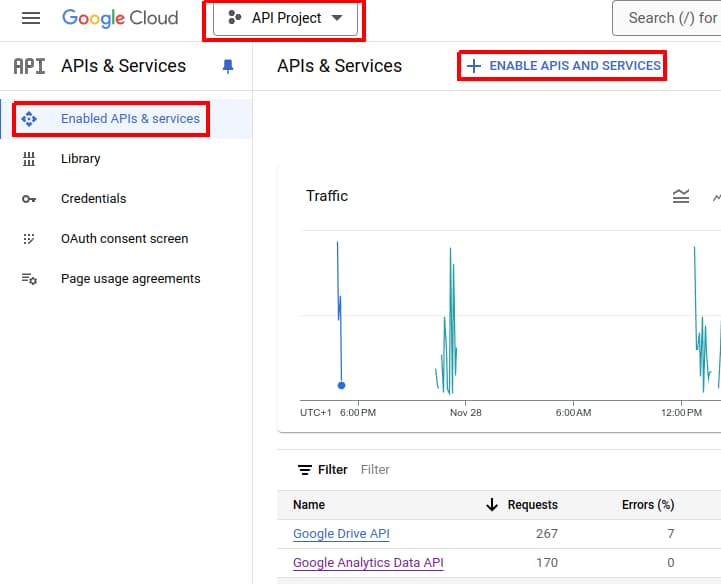
Select in the top bar a project, when you open the console the first time, Google creates an initial "API Project" for you automatically. Then click on the "Enable API's And Services" link.
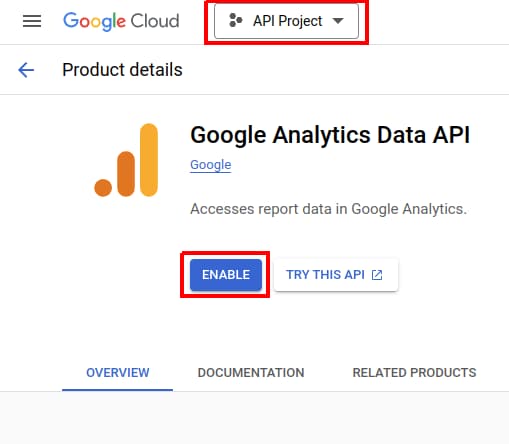
You will get redirected to the API search page. Search for "analytics data" and click on the Google Calendar API result. Now a page comes up where you can activate by clicking on the "Enable" link.
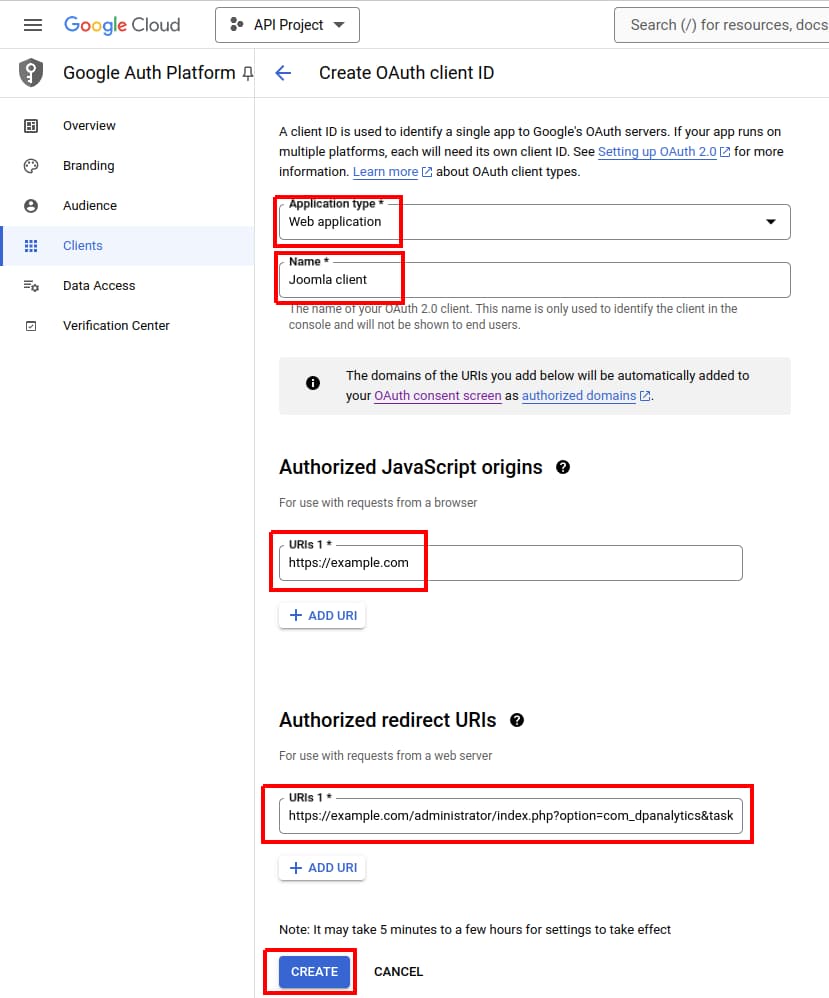
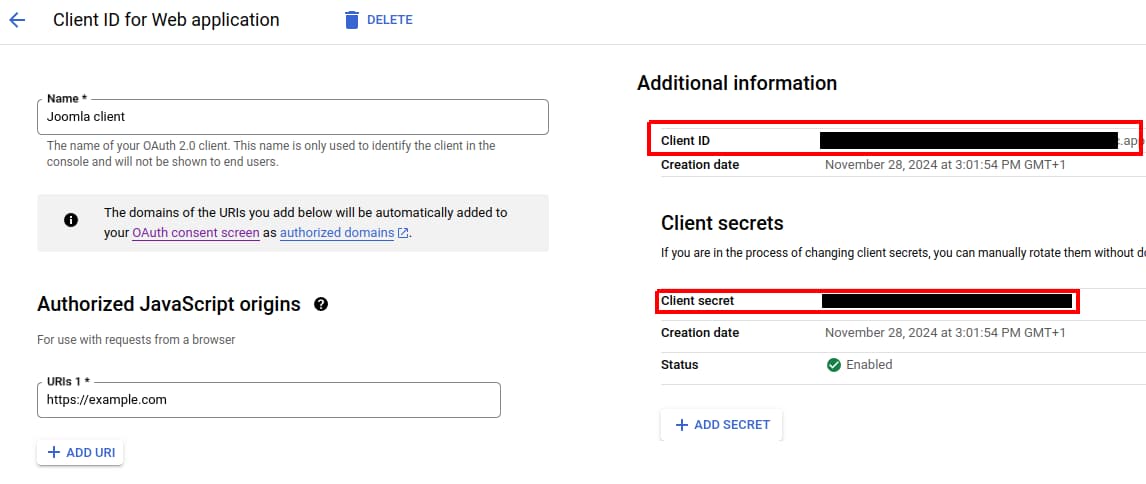
Go to the "Google Auth Platform", define the branding with a name, support E-Mail and authorized domains. Then go to the clients views and click now on the "Create Client" button and then choose "Web application" from the application list. Put into the "Authorized Javascript origins" your web site url. You have to make sure to set url correctly without any path, and it must start with https. In the "Authorized redirect URIs" field you have to put an url with the following parameters:
https://www.example.com/administrator/index.php?option=com_dpanalytics&task=plugin.action&plugin=google&action=import
Replace example.com with your web site url. This url is important, if it is wrong you can't import the refresh token, you will get a redirect_uri_mismatch error! Yo need also to use HTTPS as scheme as HTTP is not supported. Then click on "Create". After the API client is created, the list of apps is shown. Click on the new client to get the screen with the "Client ID and Secret". Now you are seeing the actual credentials which will be used then later for the import.
We cooked the latest DPCalendar version 10.11.2 for you on 13. July 2026!
Grab your copy here...Software should work for you – it should be simple, accessible, easy to use and above all, it should do what it says on the tin. But it isn't always the case and unless you have some pretty high level technical knowledge, you are going find it pretty tricky to make it work in the way you want. This is where Digital Peak comes in. The development of products to make your use of software easier and more productive is what we are all about. Well, that, and a lot more besides.

In recent months, several vulnerabilities have been discovered in both Joomla third-party extensions and the Joomla core itself. We received on 12th July 2026 a report of a security issue affecting...

This time we don’t have big feature releases to announce, but we’re still introducing a set of meaningful improvements across DPCalendar, DPMedia, and DPAttachments. While not headline grabbing on...

Mail template is a convenient feature in core which allows site administrators to customize mail content in the Joomla back end. DPCalendar comes now with full support for mail templates, to be...

We’re excited to highlight our collaboration with JoomGallery and put the spotlight on what makes this extension such a powerful solution within the Joomla ecosystem. At Digital Peak, we value tools that...

In the past few months, we’ve shipped powerful new features that elevate your site and open the door to new use cases. The biggest ones are electronic invoices (Xrechnung, ZUGFeRD), compatibility...

Joomla 6 was released with some amazing new features like core automatic updates. Read on how we handle compatibility with it and what for older Joomla versions we support.

Comments (0)